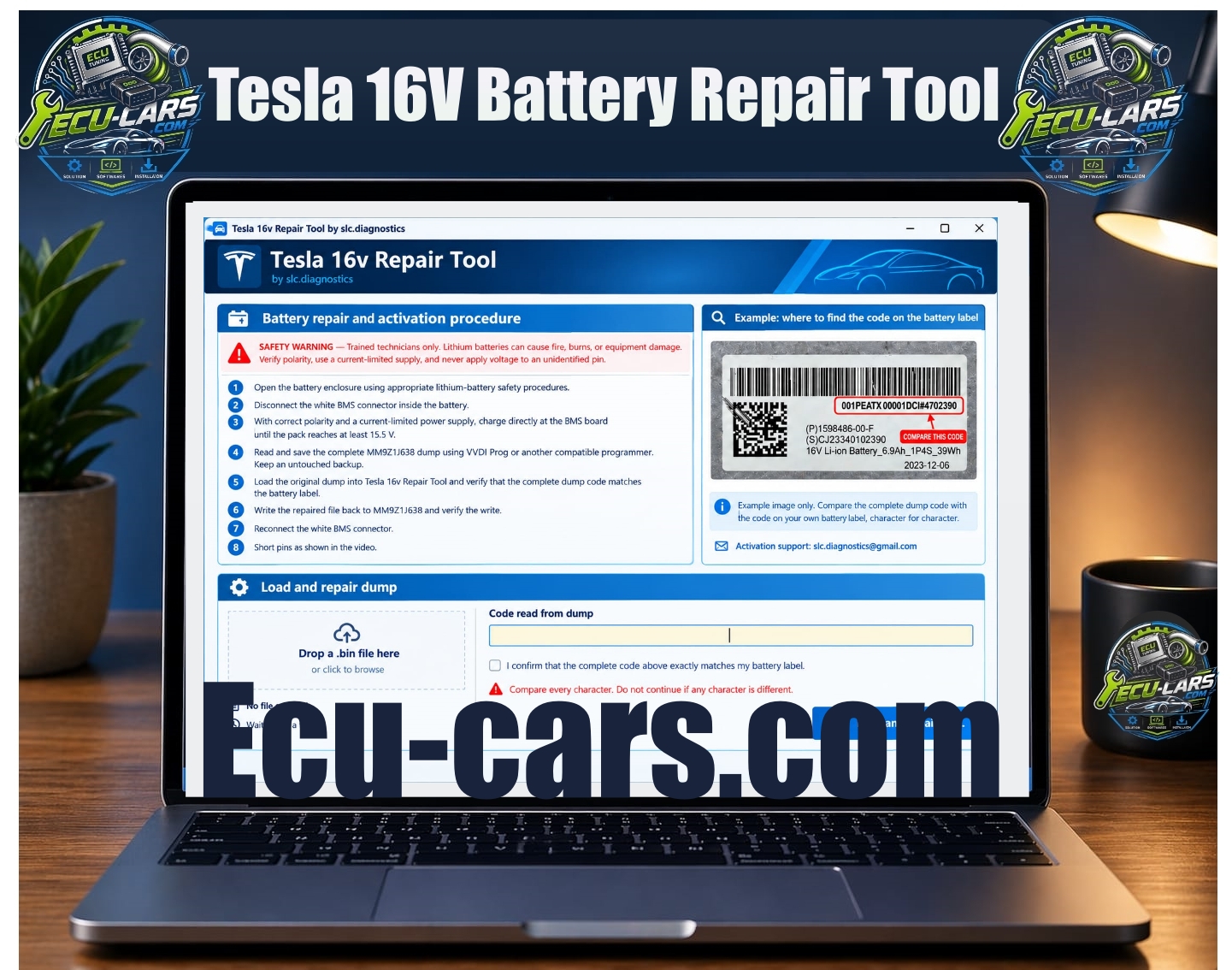
Tesla 16V Battery Repair Tool
✓ Windows Software ✓ Version 1.0.0 ✓ Payment arranged directly by WhatsApp ✓ Professional support
Tesla 16V Li-ion battery repair workflow
MM9Z1J638 BMS dump support
Local BIN file loading
Automatic code extraction from the dump
Battery-label code verification
Character-by-character confirmation before repair
Separate repaired output file
Integrated repair / activation instructions
Battery-label reference example
Repair Workflow
For an authorized repair:
1. Open the battery enclosure using appropriate lithium-battery safety procedures.
2. Disconnect the white BMS connector inside the battery.
3. With correct polarity and a current-limited power supply, charge directly at the BMS board until the pack reaches at least 15.5 V.
4. Read and save the complete MM9Z1J638 dump using VVDI Prog or another compatible programmer. Keep an untouched backup.
5. Load the original dump into Tesla 16v Repair Tool and verify that the complete dump code matches the battery label.
6. Write the repaired file back to MM9Z1J638 and verify the write.
7. Reconnect the white BMS connector.
8. Short pins as shown in the video.
The dump code and physical battery-label code must match exactly.
Do not continue with a file from another battery or when any character is different.
Safety
Trained technicians only.
Tesla 16V lithium battery service involves electrical and battery hazards that can result in fire, burns or equipment damage.
Use proper lithium-battery service procedures, verify polarity and work only on a correctly identified battery.
The software repairs dump data; it does not replace the physical battery repair and safety procedure.
Important
Always preserve the original BMS dump before creating or writing a repaired file.
Use only data read from the battery being serviced and verify the complete battery identification code against the physical label before proceeding.
Secure Checkout
256-bit encryption for all your transactions.
Instant Delivery
Access your digital assets immediately.